
Node Group Presets
Having presets you can make yourself for your node groups would be very useful, especially if your node tree is something with many different outcomes.
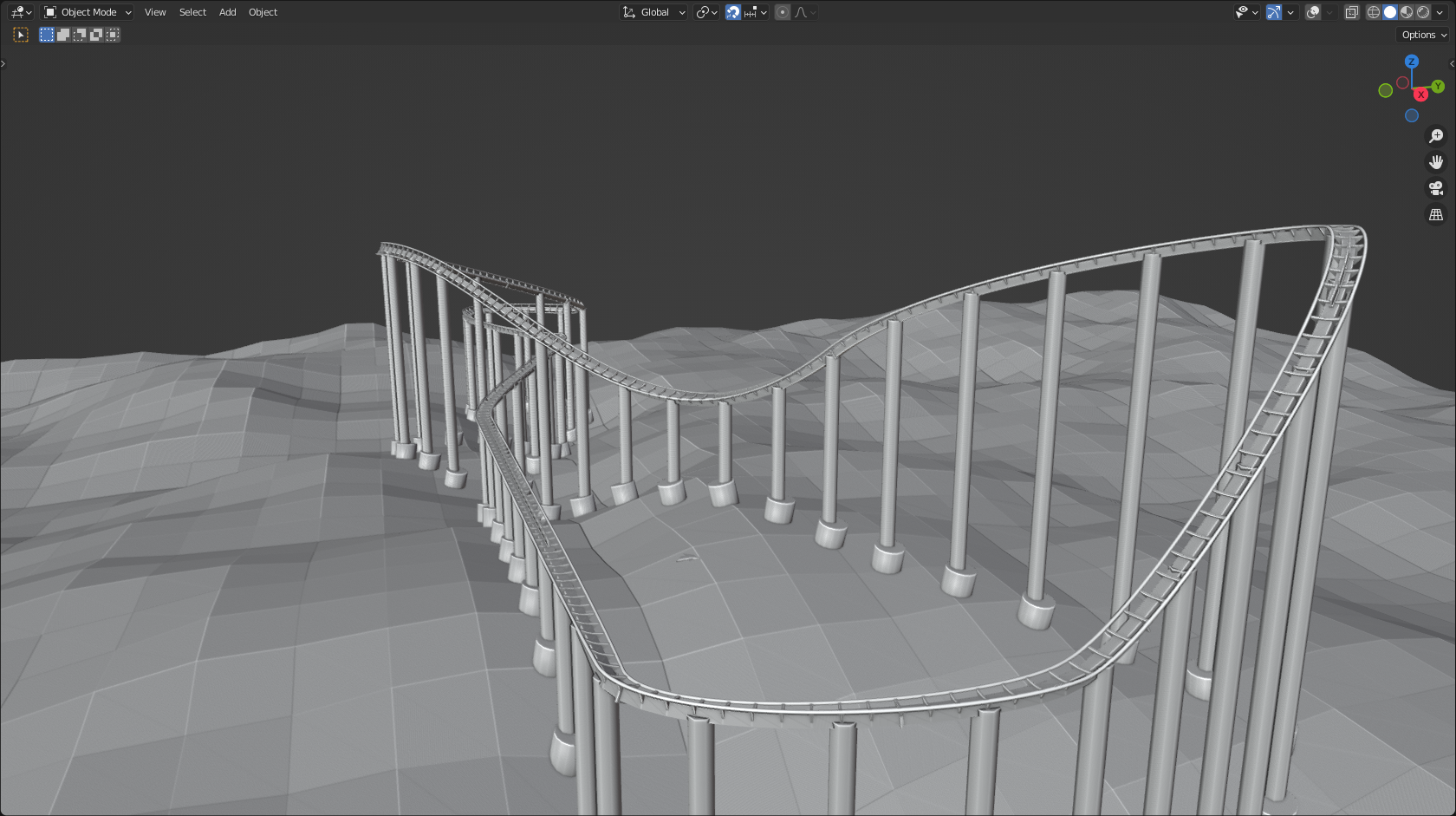 In the example above, the whole coaster is generated using a curve with one geometry nodes modifier (which is actually a group), but to make it more versatile
and
easier to use, presets for the different values could be made to include different kinds of coasters.
In the example above, the whole coaster is generated using a curve with one geometry nodes modifier (which is actually a group), but to make it more versatile
and
easier to use, presets for the different values could be made to include different kinds of coasters.
 I would suggest a dropdown, just like addons like the cell fracture addon has. You can easily add and remove presets using the buttons on the right, and name them upon adding one.
These presets would be linked/appended if you link or append the node tree itself, otherwise it would be a little useless.
7 Comments
Hello,
I am also very interested in saving my basic and often used node trees.
Why not just have the option to export a Group Node as a text file? And manage them as textures? And why not have the same logic for all presets in Blender btw? Wouldn't it also be easier to share them?
(There is the "Node Preset" addon that I tried but I wasn't convinced as you have to go to a specific file each time that contains all your node trees and then go back to your working file to import it. I think we create node trees in work file that sounds like could be reused so we want to save them somewere.)
I really like this idea, I think it makes a lot of sense. The roller coaster example is a perfect example of its applications (nice coaster, btw!)
I'm not sure I understand thinsoldier 's concerns enough to really agree or disagree with them :/ I myself don't see any potential problems, but I also am not a programmer.
Thanks, I made the coaster myself :)
Current workaround is to put each preset on a different object and make the objects assets.
I fear doing it this way makes a different node network for each object imported and if you tried to set them to use the same node network you'd probably lose the value customizations of each which then defeats the purpose :(
I think I remember seeing in a recent cinema4d video that in their asset browser all things like operator presets exist as assets in their asset browser.
Your workaround would work, although each node tree would be a new one, if you'd change the default values.
If you store the geometry node mesh as an asset, it keeps the node tree intact. Even if you drag the asset back in, and change something, it is basically a new node tree, meaning your changes aren't effecting other objects
For the UI, I think this other proposal shows a good mockup:
blender.community/c/rightclickselect/66cbbc/