
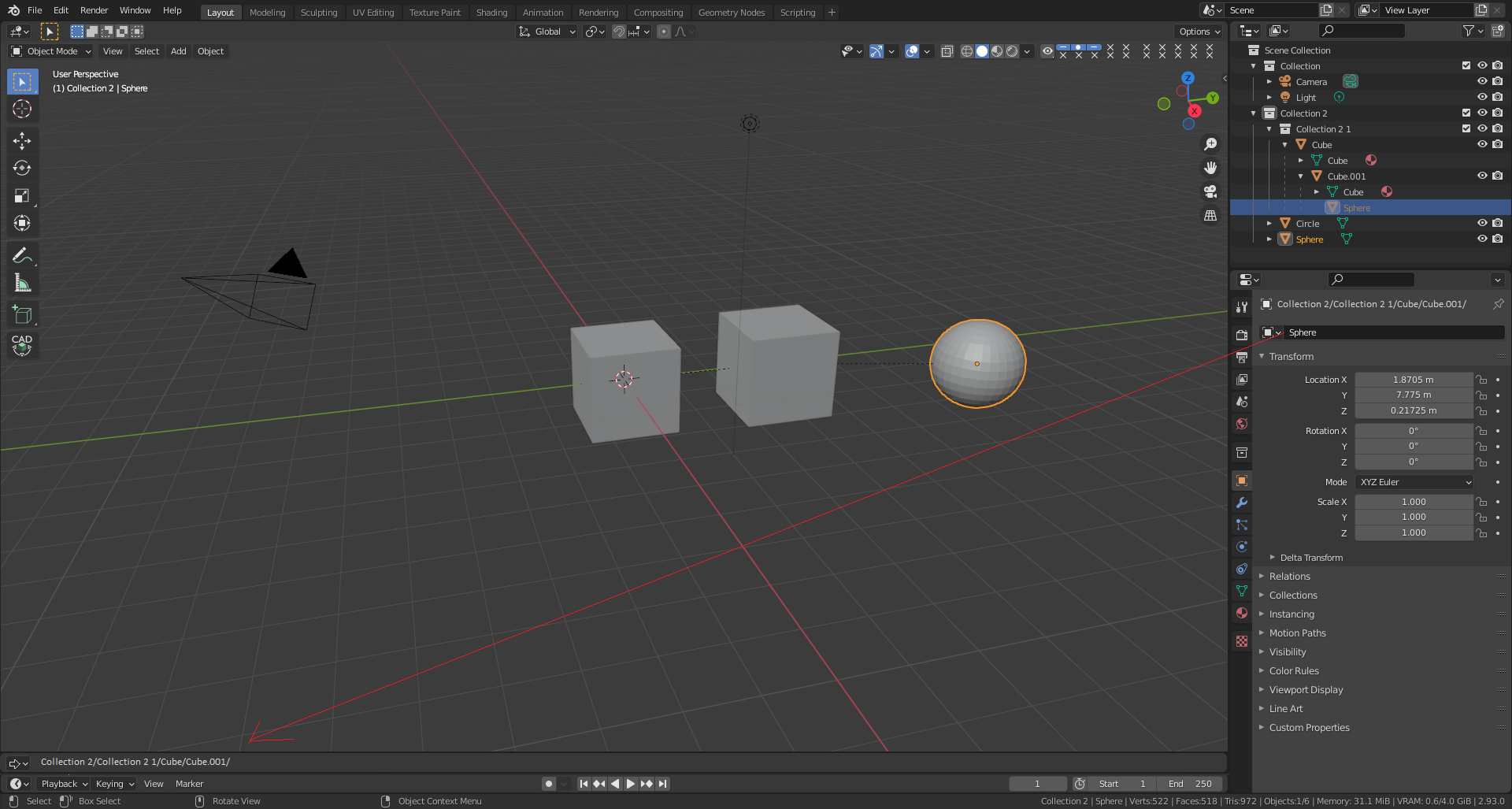
Reveal or Indicate objects in Outliner and Object path
Right now on
Object properties
exist Name, eg. "Sphere" (on mockup I changed to the
Object path
, to bether show the object location).
-
Object pathis the location in outliner, eg. Collection 2/Collection 2 1/Cube/Cube.001/ -
If
Object pathis long then user can open special panel asObject path(down partof mockup) -
Then this panel can work like
Object explorer- it's proposition for theMake GrouporMake Componentin relation to discuss Proposed Feature: Add 'Make Group' option for collections - In panel can around names can be icons related to objects like on outliner
(maybe is candidate for add-on: not sure we can have own panels via API)
In Log in can be loged the Object path as ptional and default no only standard as always after click:
bpy.ops.outliner.item_activate(extend=False, deselect_all=True)
bpy.ops.outliner.item_path("Collection 2/Collection 2 1/Cube/Cube.001/")
Reveal or Indicate objects in Outliner
can be done by clicking obejct on viewport, and:
-
Push
Num. -
RMB in contex menu
Reveal or Indicate objects in Outliner - Can be shortcuts like: Ctr+R (bether Shift+R), Shift+I
(now it's working to show object and focus after selected on outliner)
0 Comments