
Suggestion for making the hide selected/unselected mesh work in sculpt mode to help replicate a ZBrush feature
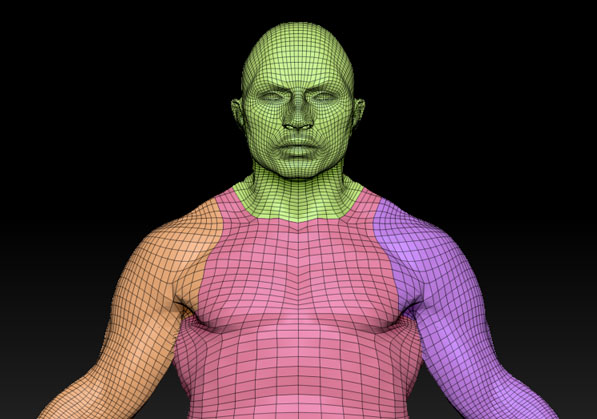
When modelling in ZBrush, there is this super handy feature called polygroups which helps the sculptor to work on separate parts of a mesh by hiding the unselected groups which you can then sculpt on. I've been trying to experiment with Blender to get something similar, and funny enough, it has most of the ingredients to be able to pull this off, with only one feature missing to truly make it function, which I will get to in a bit.
The idea is to set different materials to parts of the mesh (i.e. hands have one material, arms another, torso, etc., etc.) which you then can open up the select similar menu to select the parts of the mesh you want to work on inside edit mode. Then, by using the hide command to hide unselected parts of the mesh, you can then work on that part only. By then going into sculpt mode you should have better performance and control over the parts you want to sculpt.
However, where this entire workflow falls apart, is the hide command in edit mode, which does not really function in sculpt mode. It actually does not hide the parts of your mesh in sculpt mode, making my attempts of recreating a polygroup workflow in Blender fruitless.
So my suggestion basically boils down to this; make hide selected/unselected work in sculpt mode so it properly hides the mesh you don't want to see. That's really it. You could probably make the select similar material work in sculpt mode as well to allow for quick switching between different parts of your mesh without the need to go into edit mode to select something new. At least I think this is the most resource efficient way to implement this feature into Blender without investing tons of resources into recreating a unique polygroup system for it.
8 Comments
You should try to get in touch with Pablo Dobarro and the people making the Sculpt Branch (which you can find in the Graphicall section of Blender Community).
* @Josephbburg * Okay! Should I just repost this thread in there, or is there a way to pm them?
* @Frozen Death Knight * Maybe you can PM on devtalk? I can't find a way, but you could always start a topic over there.... maybe you should post a comment on Graphicall first, just to be sure. I don't think that any of the people that build Blender Sculpt Branch are involved in coding it, but maybe they know how to get in touch with them.
* @Josephbburg * I send him a PM on blender.chat
We'll see how it goes.
* @Josephbburg * based on his twitter account it looks like he's rebuilding zbrush inside blender piece by piece, so i imagine he'll get to polygroups eventually heh
Almost marked this as a duplicate of this proposal based on the title. I might suggest renaming it to more clearly reflect your proposal... which isn't poly groups, but having support for hide (and the mask modifier) in Sculpt mode.
* @Jason van Gumster * Well, the workflow would function very similarly to how polygroups function in ZBrush, which is why I made the title just that (not sure what that link has to do with the thread since it is about bevels, but I digress). I can change the title if needed, however.
Edit: Changed the title now. Is it better?
* @Frozen Death Knight * Because the link isn't about bevels, it's about the ability to have edge groups and face groups (in addition to vertex groups)... so you'd use that instead of shoehorning this feature into material assignments.
And the title is an improvement, yes. :)