
Animation - Motion path as a tool and easing handle
[UPDATE 2020.09.23]
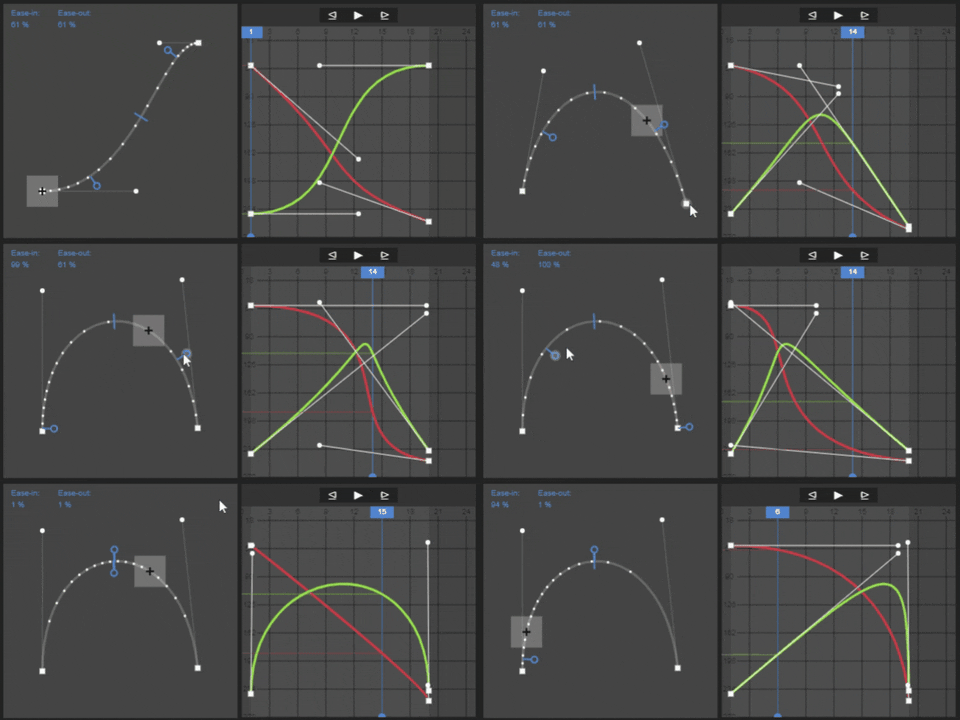 live demo
(just for illustration)
live demo
(just for illustration)
WHY?
- In some cases, the animator is mostly interested in arc and ease-in, ease-out. With the "motion path tool", we can view motion paths, velocity changes, and edit them either, right away in the 3d viewport without any caring about graph editor with other complicated curves. ( three curves (x,y,z) can be replaced by one curve ).
- Blender's current motion path looks like a tracking path. This means it only shows the trajectory of objects or bone as an attribute. When the motion path is active, it is always visible even if the user is not using Blender for animation (in edit mode, sculpt mode, etc.). And sometimes, we want to show only the motion paths of certain objects, the current way is to disable the motion paths of all other objects.
PROPOSALS
I suggest adding motion path tools in object mode and pose mode.
- motion path is visible only to the selected object or bone. If the user wants to display multiple motion paths, just select multiple objects.
- Users can manipulate the motion path gizmo like other tools. Control points and handles to change position and trajectory. Easing handle to change acceleration, and so on.
- With the Motion path tool and own tool settings, we can easily add advanced modes, like visual editing options for either rotation or scale.
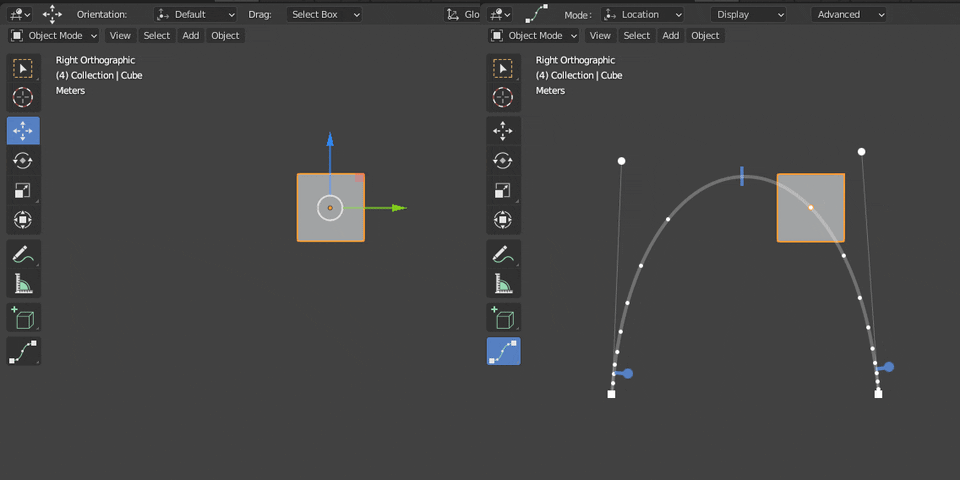
HOW?
MOTION PATH
During the study of the relationship between motion path and F-curves. I found that: if I bind F-curve handles of x and y channels together so that they have the same time value ( X direction), I could easily create the Motion path (MP) with 2d coordinates of the control points and handles based on the value ( Y direction) of the keyframes and handles of x, y channel (Fcurves) :
- MP control point [x, y] = keyframe [x_Fcurve.y, y_Fcurve.y]
- MP handle [x, y] = keyframe handle [x_Fcurve.y, y_Fcurve.y]
- x_Fcurve.x = y_Fcurve.x
As a result, the motion path matches the location tracking point.z
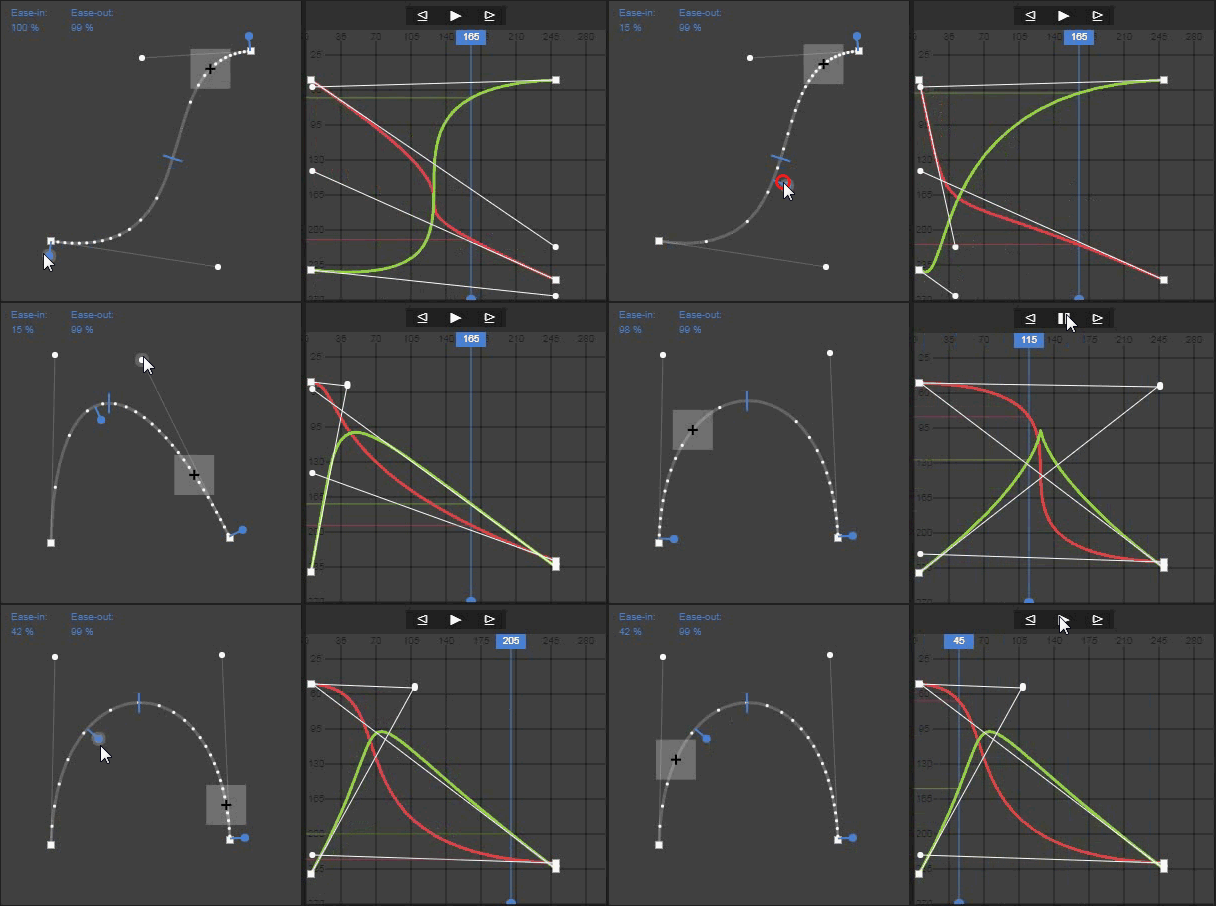
TIMING MANIPULATION
Furthermore, I can change the easing interpolations (by only shifting the F-curve handles horizontally) right away on the motion path through the easing handle. The gif above shows us how intuitive when the Easing handle and tracking point shift together along the motion path.
22 Comments
Duplicate of this proposal
Not actually, although it same a topic. Especially with UI and "ease-in, ease-out handle". Please consider my proposal as an option.
* @ddinhddoong * The way I understand it, we don't have editable motion paths at the moment at all. Were we to get that feature, then this would bee an additional UI option to add to that.
That said, I could perhaps see how this could possibly be implemented before fully editable paths, if we're just editing timing along the existing path. The question then is this: would adding this feature give the expectation that paths be fully editable? That is, would animators be satisfied if we just had this feature for a few Blender releases and not fully editable paths?
There's the "Motion Trail" addon (currently in 2.79's "testing" addons):
I am just going to leave my open-source implementation of editable motion path here for anyone who decides to take on this proposal:
github.com/JiahuiCai/Blender_Interactive_Motion_Path
It has some nice gifs and demos in my GitHub page, feel free to reference the code too.
Note that even though I already did some cleanup, the code is still hacky :D
* @JackC * Out of curiousity, did you tried to submit it as a patch?
Yes please! Does it translate well to 3 axis?
sound similar to system created by disney youtube.com/watch
(BTW, if the current motion trail addon could look & be used as in you codepen demo, that would be awesome !)
totally approve this feature, It is as awesome as it's presentation is.
I wonder if the keyframes on the path could optionally show orientation axes and so be rotatable as well as moveable! (to allow visual editing of Rotation as well as Location at keyframes.)
LIKE YES WHY ISNT THIS A THING?!??
Yes, this, please. Would be so much more easier in 3D space to control time and curves without going axis by axis - it literally drops the fine animation tuning workload by x3 times.
We need this
The only thing I miss from Maya. That would be SO much welcomed addition to Blender toolset!
Hi! There are so many proposals for animated motion paths, tho this one is the most awesome in terms of UX.
Wonder why editable motion path are not yet a thing in Blender, it is so critical to any animation work.
This Live Demo is brilliant!
hey I'm still interested in this project and all how's the progress going on it?
this would also be a prime addition for animation 2020 project?
also there is no good way right now to control curve before ease type keyframe...
Does anyone know the status of the motion trail addon? Is it still being developed?
AFAIK the last significant update is back in Blender 2.65. The only updates I've seen since are compatibility tweaks.