
Sculpt mode -Viewport HUD slider overlay
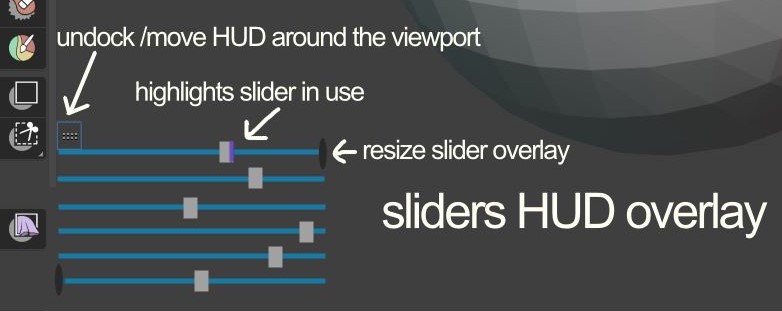
When in sculpt mode, it would be cool that when you save a custom brush you have made that you could also save multiple custom sliders that appear when the brush is chosen.
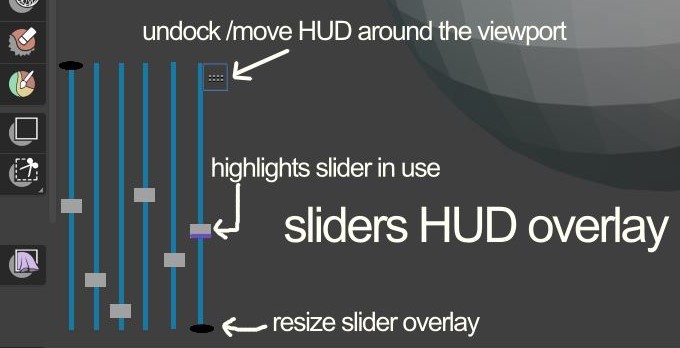
Say you wanted to control the spacing or one of the many cloth brush settings you could have that immediately without going into long dropdown menus. The sliders should be able to resize, flip horizontally and vertically and be docked/ undocked to corners of the viewport and move around the viewport.
There should be an option just like "add to quick favourites" to add "add value" to slider HUD for your sculpt brush.
The sliders would be an overlay so you could turn them off or on in the preferences or overlay drop-down.
Optionally perhaps custom icons, text and colours could be added to the HUD sliders my mockups are fairly basic.
and also vertical version
I think the HUD slider overlay should not be something put everywhere in Blender but only something attached to custom brush settings. I'm aware there have been proposals on right click select for generic HUD sliders... but I think since sculpting workflows use a stylus there needs to be sliders close to where you are sculpting. I don't think HUD sliders in the viewport while in edit mode modeling or object mode would be a good thing to have. Here are are some of the more generic HUD sliders proposals. blender.community/c/rightclickselect/mGbbbc/ and blender.community/c/rightclickselect/99G4/
Here is the fullscreen version not closeup of the mockups.
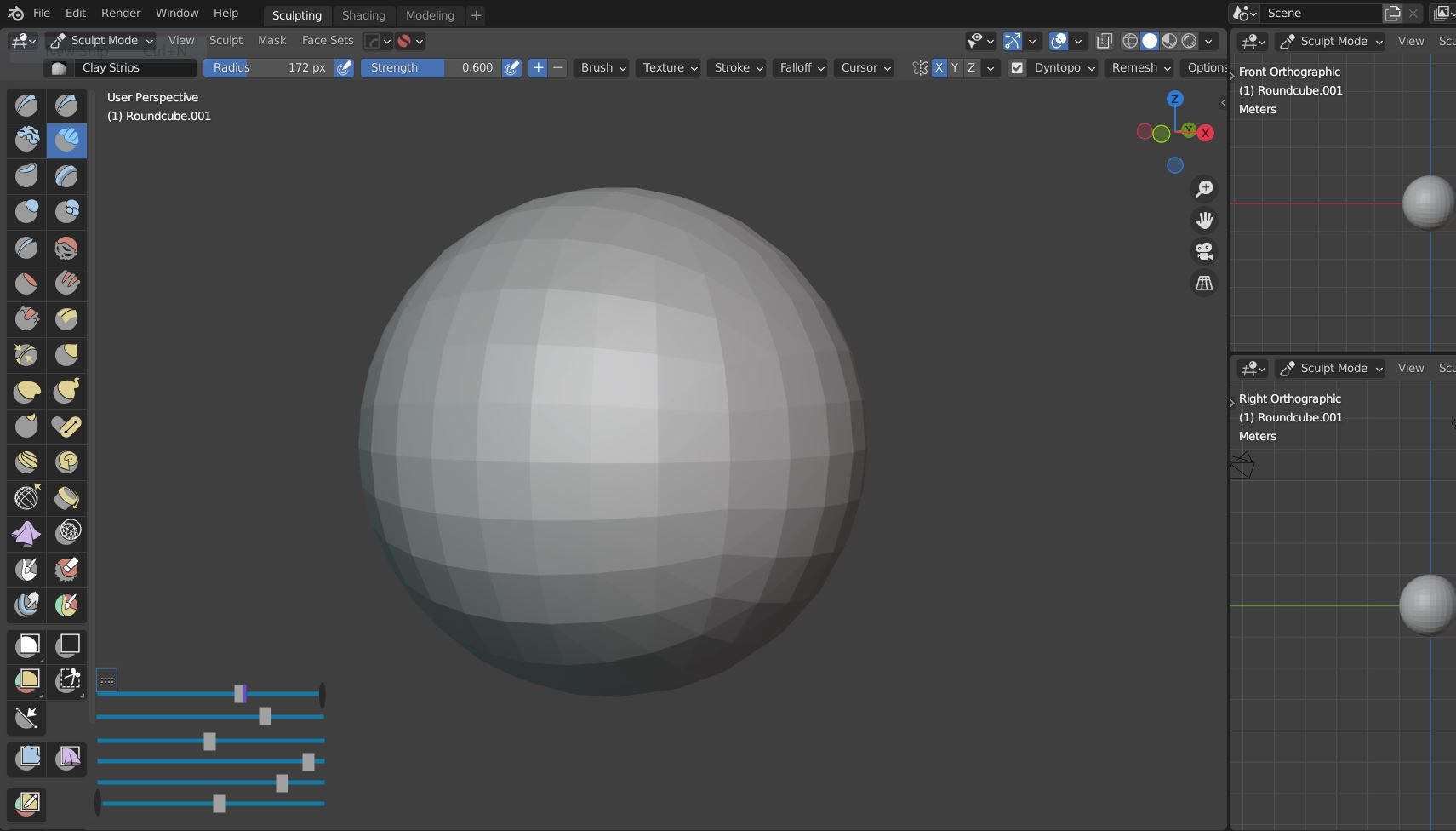
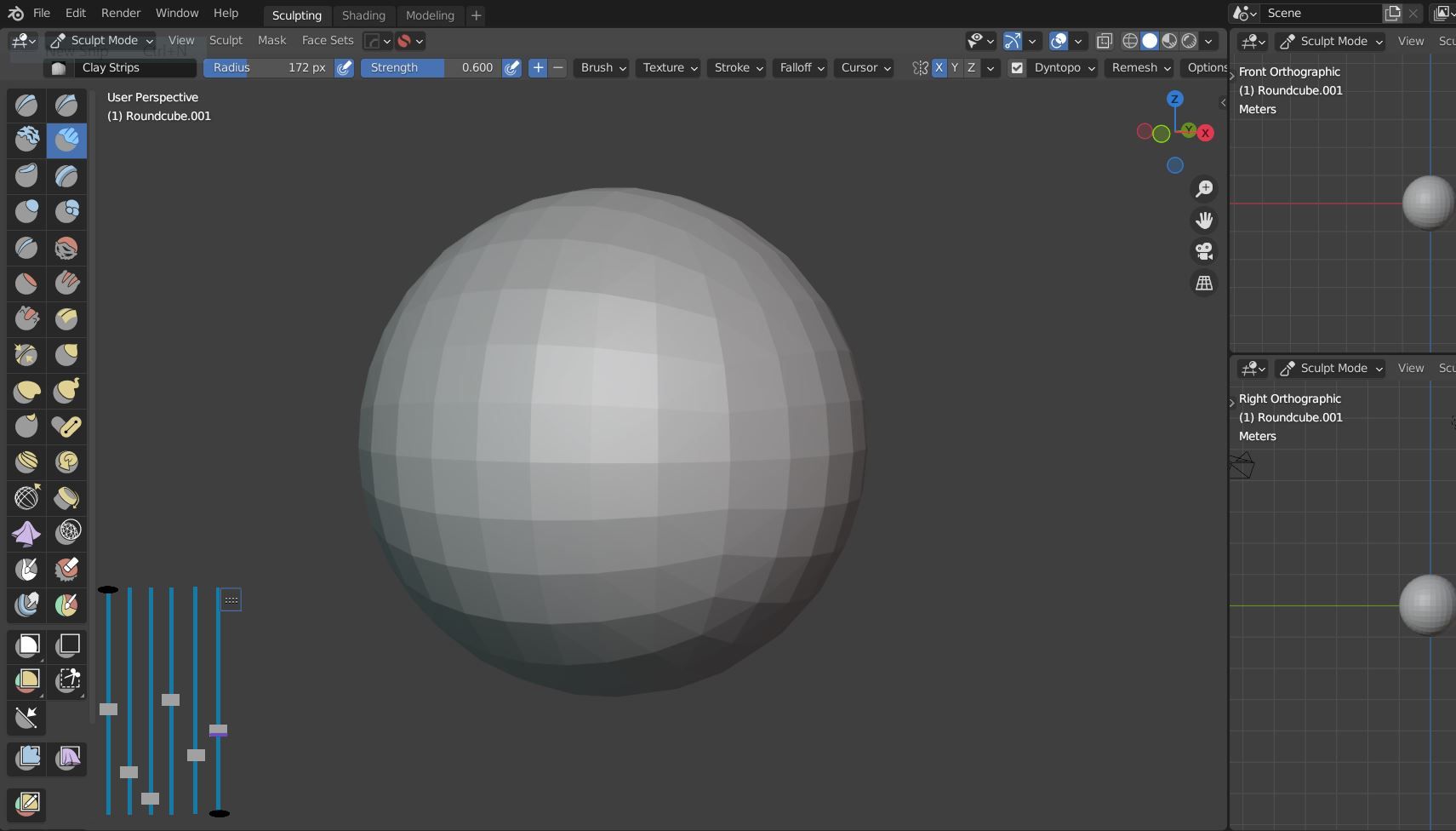
Sure there are add-ons, but with more and more sculpt settings and brushes some customization features would be great.
0 Comments