
compositing and editing live link in blender
I know , the compositing feature is just a support in blender. But i may want to share some idea for the compositing in blender.
I'd like to have multiple compositing network : in compositing , currently we can only have one 'page' to throw everything here. it will be great if blender can have multiple comp clips. So each comp clip is contain a compositing network. It make sense since a blender project may contain a lot of cut (in term of editing), which means to have multiple shots rendered from different angle. So we can have compositing network for each of the shot separatedly.
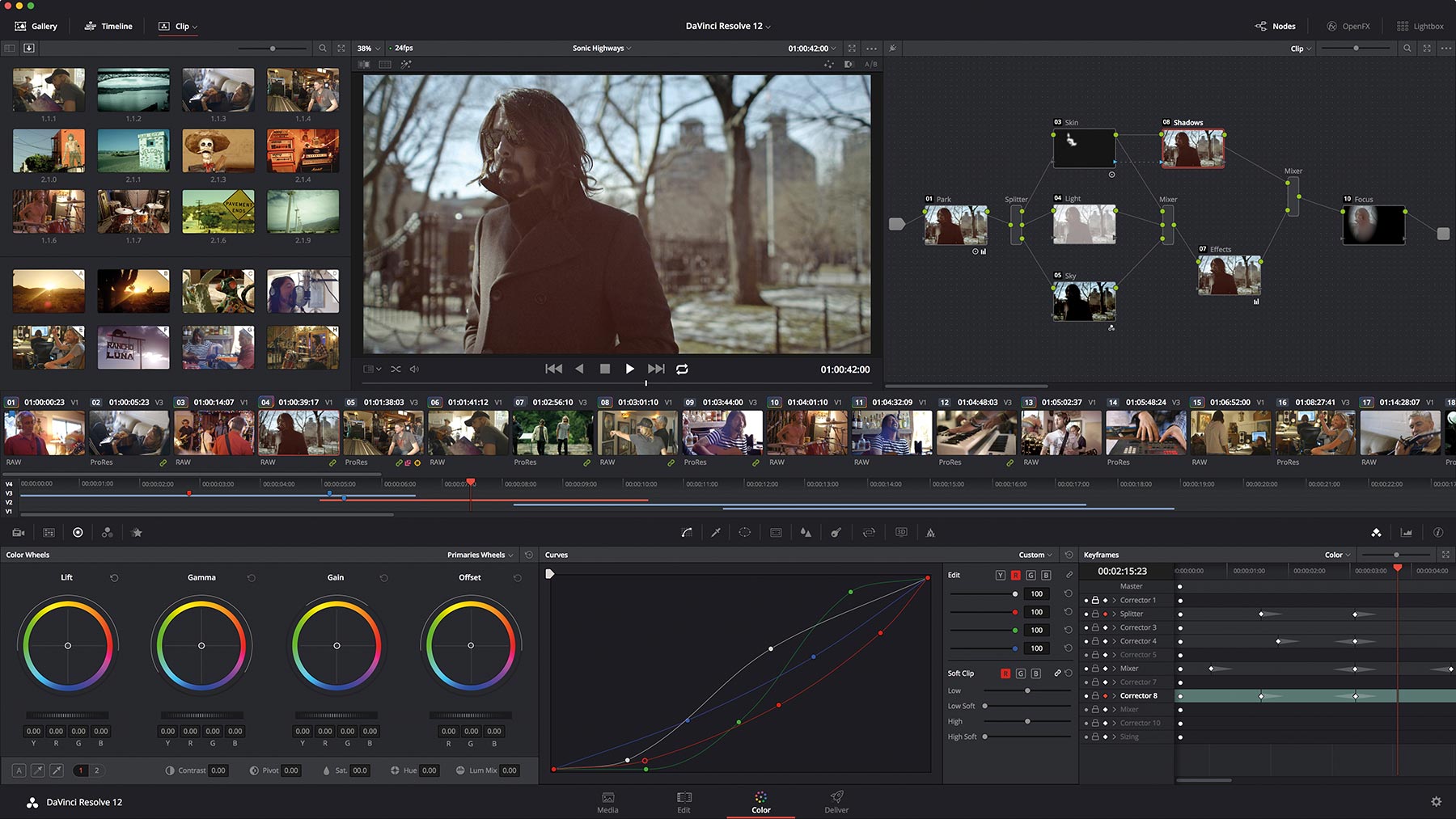
I used nuke compositing for my daily vfx works. Nowadays the compositing apps are growing to become 'studio' model. which now combine editing + vfx compositing. Although this kind of workflow has been long adapted by autodesk (smoke/flame etc) and avid media composer. But some major vfx app on the rise now like nuke and resolve has been starting to implement this . For example nuke studio (has been for last couple years) and resolve studio (the latest release v15 now combining resolve + fusion). Not only we are talking combo edit + vfx , but the live link between them so going back and forth from editing mode to vfx mode become seamless workflow.
In blender case for example , in editing , we can put not just a normal clip but also a comp clip in timeline where each comp clip can be double clicked and it will open automatically in compositing window (node graph) to edit comp and the output of this comp clip will automatically updated in the edit timeline (via render or proxy preview).
Just for some ideas ... resolve 15 - live link editing + vfx : youtube.com/watch
nuke studo : youtube.com/watch
Thanks
11 Comments
hey metaclay, I have a similar concept in mind which I'll probably share in a post tomorrow. I believe Blender has most of the capabilities of Resolve or Nuke, you just have to bring it all together and create a usable package
@david2: Agree, Blender has that capabilities. Imagine in EDITOR timeline you have a live clip. "live" means, it'not just flat rendered clip but have a link to the comp clip. So in editor there will be maybe 2 types of clip: NORMAL CLIP and COMP CLIP. NORMAL CLIP is just a clip imported from outside blender whether is the render output from any 3dapp (including blender) or image or shooting footage etc. In the other hand, COMP CLIP (or we can also call it as FX CLIP ) is a clip contain a compositing network so if i double click this comp clip, it will jump into the compositing panel where i can manipulate the clip. It's just like current comp workflow , so the render output can be piped back into the editor timeline. so each these comp clips may have their own comp network inside. That the simple way to explain it. maybe each comp clip can be techincally designed as separated file. Does not have to be merged into a single blend file because it can be huge when we doing crazy compositing like in real real compositing. We than manage how blender link these files together.
NEW ADDITIONAL CONCEPT : Beyond that COMP CLIP : as Blender is 3d then maybe as addition to the comp clip, we will have a SCENE CLIP (i just picked a name). So if i double click this clip in timeline , it will open / jump to associate camera view in the 3d . So to say this clip is an instance of a camera view. I don't say we can then play back realtime this scene/camera view from editor. But let say we can render proxy or any fast preview render and fastly we can swtich to editor and manage all the proxy clips (rendered from multiple angle or mutliple scene) and just play it back there to see how the CUT is going. so you can make render decission better because you know which part will be visible in final edit more precise. Rather than render than later realize the render clip is trimmed and waste the render time.
This way also we can have SCENE CLIP in compositing. THe workflow is to have the clip still to have a connection to the scen view. double click this scene clip will open separated scene with specifci camera view from where the clip is created so we can re-edit in 3d view and render it back to compositing.
Thanks
@metaclay: interesting concept! I outlined my ideas here: blender.community/c/rightclickselect/0Cbbbc/
I thought it would be a better idea to have compositions behave like materials for 3D objects, rather than have them as individual clips. So you can assign any amount of compositions to a strip and you can assign a composition to as many clips as you like. This also allows you to comp many strips in the same node tree, and at the same time be able to move around the strips in the timeline individually. Scene strips are wonderful, but they already exist in the VSE, but without compositing they are not really powerful. And yes, proxies will play a significant role, too.
My ideas go actually farther than that. I'd separate scenes from sequences so that you can have any sequence loaded in any scene you are working on, and load any scene into any sequence. You could even load sequences into other sequences. And you could load sequences as image textures for Materials in a 3D scene. So, for example, you wouldn't have to fully render a green-screen shot before bringing it in to your project.
@david2: Doesn't have to be like material 3d for doing that. In compositing like nuke you can create custom fx like group of effects node and save it as in toolset where you can then assign to any clip. even further we can create custom parameter that can control the fx . where you can drag and drop any parameter very easy. For example in blender compositing, if i have clip then apply blur, transform, color correct, grain . We can 'convert' all these fx as single fx node then save them in library. Later you can apply to any other clip just by drag and drop.
and in Nuke the word 'live' i mentioned not only connecting edit and compositing , but connecting artist in different place via nuke. But i don't want to bring to heavy thing in the beginning of the proposal . But if you want to how it works see this : youtube.com/watch youtube.com/watch
Imagine 4 artist using Blender . They're on 4 different place , every artist doing different things and the data can be passing to each other live via blender. But let us save it for later :-) let's go back the the basic idea connecting between scene , compositing and editing.
@david2: Btw really sorry, throughout this post , i mentioned nuke. My mistake , it's NUKE STUDIO , not NUKE. Nuke can't do this. Only in nuke studio you can make a clip into a compositing clip. And also regarding resolve, only resolve 15 has this ability. Old version can't do this. Just to clarify . thanks.
@metaclay: yeah, a completely collaborative workflow for Blender would be awesome, but then these kind of mechanics should be applied for all areas of Blender, not only for compositing or video editing, in my opinion. I'm actually not sure if appended assets from another Blender file will change if the original file is changed - but something like that would be essential for a collaborative workflow. The idea of having Comps behave like materials would have the advantage to combine different inputs in a single composition while maintaining the ability to move around every individual strip and its keyframes. It is not easy to explain but I tried to do so in the post. For a simple color grading workflow, you'd have a composition on every strip of a scene for color correction and one composition that is assigned to all strips for color grading. Then, atop of that, you could add your secondaries. I think I'd make things cleaner than huge node-setup and still more versatile than resolve.
@david2: forgive me if i missunderstood, in Nuke, there's a precomp node , for example using precomp node , you can import a compositing network as single node (as if it's a normal clip). If i edit this precomp , it will expand the original tree/network in a compositing window , so using precomp node, you import mutliple comp network into single composition. i can combine them , add colorgrade, blur etc then output them as new single new clip. maybe this is what you mean? or maybe in editing (VSE) context , the ability to import a sequence as a single clip into another sequence, which ussually called nested comp.
btw the collaborative thing , as i said , i'll keep this for later :-) , i'm not gonna make Blender bloated with this things. my simple proposal just for fixing the basic thing in compositing like why can't i have multiple comp and missing link between comp and edit. Let start from here.
@metaclay: yes, the behavior would be quite comparable. But Nuke is not a video editor, it is only a compositor. Blender could combine both, similarly to resolve. I thought the workflow can be cleaner to be able to assign many node-trees to a strip and layering them rather than having only one big node-tree per clip. I'll think about it :)
@david2: Yes nuke is not compositor, that's why i corrected in previous post , it should be Nuke Studio ... not Nuke. There should be a precomp feature in editing timeline in next release.
btw i'm not sure about interpreting what you're saying as 'assign many nodes trees to a strip and layering them' ? to be clear , can you give more example of it.
@metaclay: Oh I haven't looked into nuke studio yet, I'll learn more about it then. Let's take the example of a simple green-screen shot. you need two clip inputs for that: one, the green screen video and the background scene. So you add them both in your sequence. First you add a composition to chroma-key your background. then you add a composition to your background. You realize you'd like to create a fake shadow in your background clip, so you add your keyed clip into that composition. In the node editor, the keyed clip appears. Then, to grade both clips together you create another comp called something like "grade". You keep this composition separate because you want to use it again for other shots in your project. Then, you realize that you want your green-screen clip start a few frames later, so you just move the clip around and the masks and keyframes you made are all where they are supposed to be. I haven't used Nuke (Studio) before so I don't know how you'd do it there.
@david2: To achieve that goal, in Nuke studio : you put the BG and FG clip on the edit timeline, put the BG on layer1 and FG (greenscreen) at layer2, For simple keying, you can just apply 'soft effect' , for example in this case you apply the keyer to the FG and you can see the result on viewer. Now to add grade for both clips. just apply another soft fx (colorcorrect/grade) on top of the layer. it will apply to both clip. These kind of soft efect will show up in timeline as a thin bar and you can select this bar and drag it, move it etc. so to apply the same fx to other clips , just select this small bar and copy paste to other clips. you can also trim this thin bar , to limit the fx.
check here : youtube.com/watch at time : 00:43 , the small colorfull bar is the soft fx. you can move them around just like a normal clip.
Now for complex compositing like you want to add shadow, morph the FG, tracking it etc ..., then what you need to do is to select both FG and BG clips and RMB select 'create comp'. it will then create a new comp clip on top of those FG and BG clips . Now if you double click that comp clip , it will open a node graph inside that nuke studio, where you can see in this node graph, both FG and BG are ready as nodes and combined using merge node (like 'alpha over' in blender comp) , all you have to do now , you can add shadow, grade etc ... whatever fx you want and if you want to re-use this fx tree, you then select fx tree and save it in toolset. Next when you open another node tree, you can load this toolset to have the same fx. If you want to go procedural ,, you can save this fx tree as live group and can send it to other artist to work on it on other machine and other place. So every node tree that using this live group will have it updated automatically if that live group is modified. It will ripple update through out the project. Now if you're done , you will render this comp, it will automatically refresh the comp clip in the edit timeline . So we don't have to import manually. i mean as soon as you go back to edit, this render clip is ready there immediatelly. That's the integration between edit and comp that i'd like to have in blender. That way jump from edit and comp is flawless , all done within nuke studio.
to illustrate this : youtube.com/watch at time : 00:46
youtube.com/watch
similar thing with resolve 15 (not older version), where in timeline you can collapse multiple clip to create a comp clip, then switch to node graph (fusion) , these clips are ready as nodes . Even better you don't need to render the comp like nuke, when you go back to edit /timeline , you can see the result of comp straight away, but can render later when want to output the hires.