
Highlight objects on mouse-over while on the Select Menu.
I'm sculpting a fairly complex armoured creature and I'm doing a lot of Alt+L-Click in sculpt mode to change between the different segments I'm sculpting individually, but in a way that fits together.
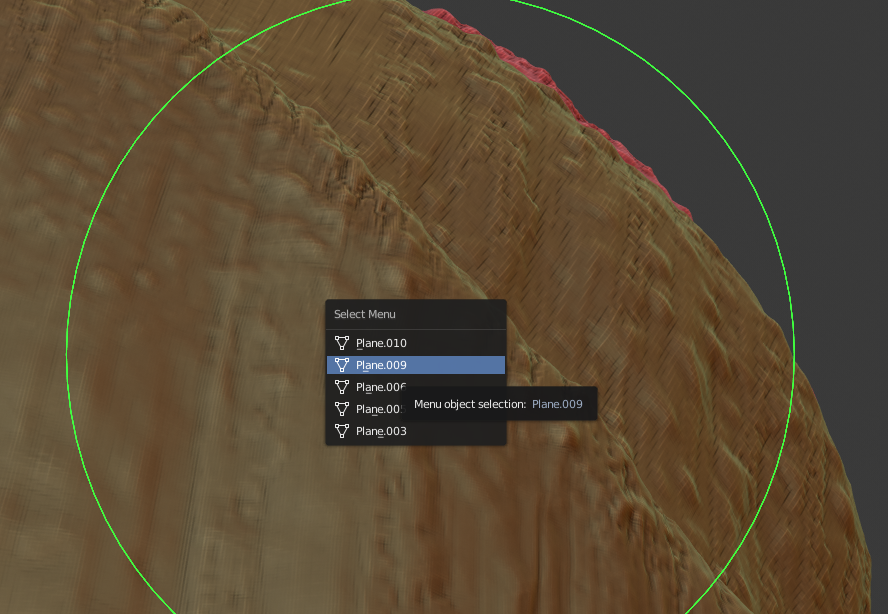
When you Alt+L-Click in sculpt mode and there are two or more objects under the cursor (even if one of them is well behind the front one) it brings up the Select menu for you to choose the object you mean to click.
This is great. But I'm pretty disorganised and most my objects are called "Plane.001" etc. Even where they do have handy names (like "Segment3b.001"), I often don't really logically know or care which one is which.
A simple (for me to imagine at least) solution would be to have each object visually highlight as I move the mouse over the list of similarly/cryptically named objects.
When the one I want gets an outline, I click and it's selected.
2 Comments
There is already same proposal:
blender.community/c/rightclickselect/yndbbc/
* @Pawel Piotrowski * Nice! I did search and was surprised it wasn't there.
...Turns out I'm just bad at searching.
(I feel less bad about not making a nice animated GIF now)