
Problem with side panel :C
Hey there, theres a panel that you can see if you drag in and thats very cool and easy but to close it... its so hard, i always finish opening at least 8 of them. It will be awesome if there was another way to close it
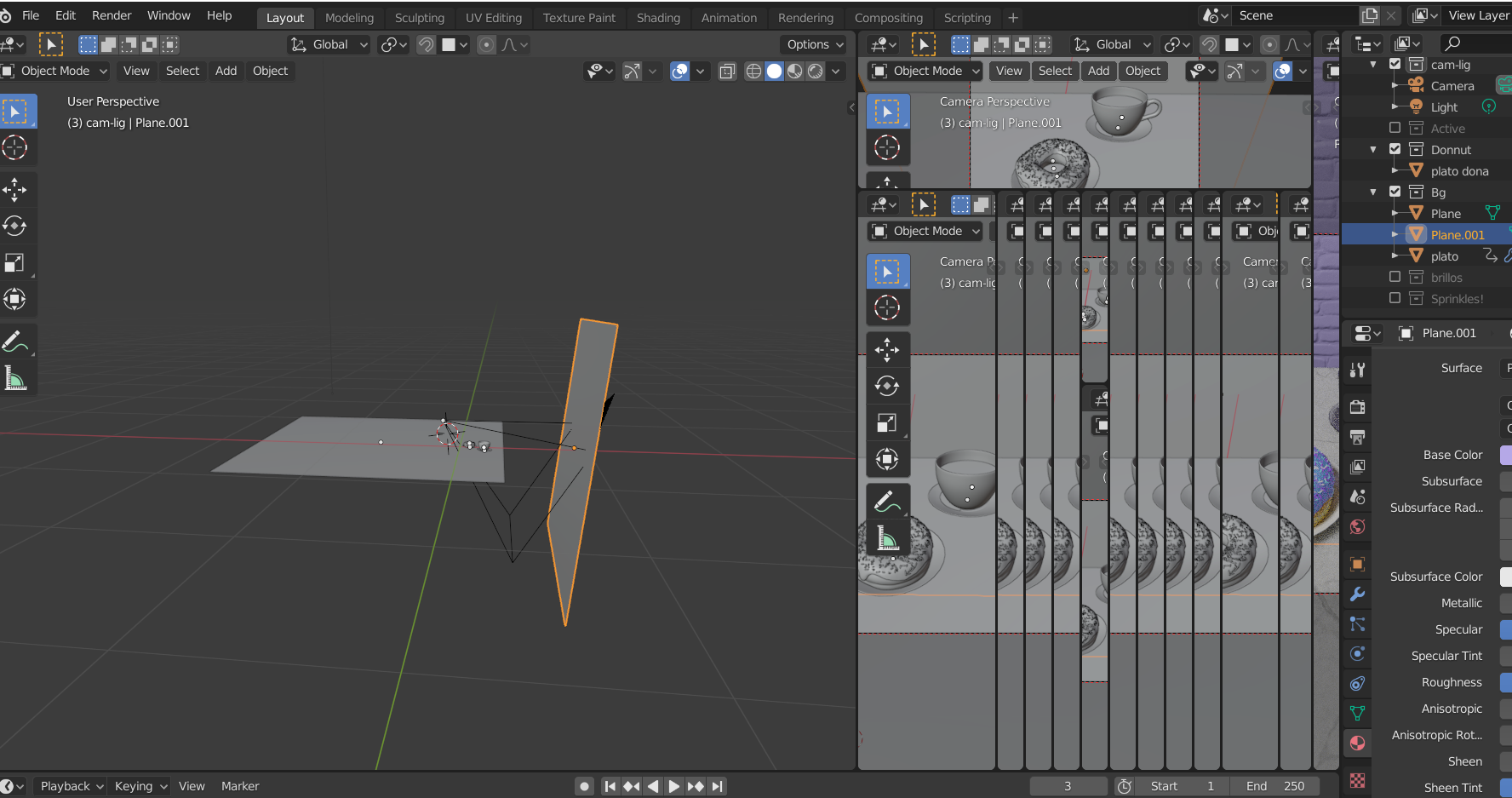
Hey there, theres a panel that you can see if you drag in and thats very cool and easy but to close it... its so hard, i always finish opening at least 8 of them. It will be awesome if there was another way to close it
7 Comments
I made this post a few days ago: blender.community/c/rightclickselect/kMfbbc/ Maybe they can just add a "Close Panel" option to the Header's right-click menu. Also, are you aware you can right-click between panels and select Join Areas, then you don't have to drag them closed from the corners.
Just press <kbd>N</kbd>
You can change 2 size of the Borders in the preferences.
Yeah the UI manipulation is really terrible
Looking at the attached image, I guess you are talking about general window areas. Yup, this is annoying! You can right click on the border to get the join or merge panel option. But it would be far better if we could have a button for that.
* @mahesh0806 * I made a proposal for this feature a few days ago. You're welcome to vote it up! :) Link
Just as an addition:
T is the shortcut for the Toolbar on the left side.
If you go to the menu item View you can show and hide the toolbar and the sidebar with a checkbox.