
Short-cuts for Blender 2.8
I managed to stumble onto the Shortcuts section of the Manual, but I think more can be done. Such as adding links to the web-pages where the Shortcuts function is explained more in-depth. This attempt to list all the short-cuts for Blender, was a rather torturous to say the least. I can see why the Dev's are so hesitant on making improvements to the Manual because of how much of a pain it is.
But couldn't they at least improve the 'search' aspect, so that beginners can search by ' Functions ' or ' category '?
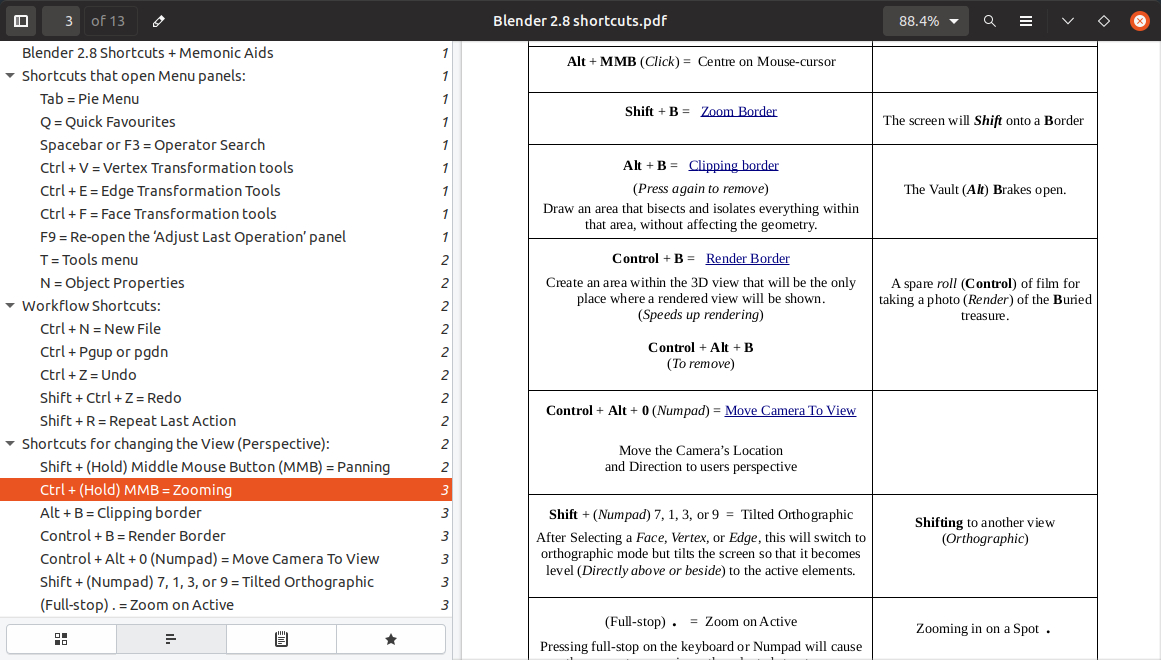
There are 92 Shortcuts listed in this PDF file . There's definitely more, but I can't be bothered to update it. Perhaps it'd be useful for introducing beginners.
3 Comments
92 keyboard shortcuts and still counting? This has gotten out of hand. A Pie Menu With Widgets and customizable items will solve this whole thing. We should be customizing our own Pie Menus based on the concept I described in this proposal:
Pie Menu With Widgets
If a feature atop the above pie menu idea was added that allowed a customizable pie menu (the user's ability to add or remove items) would deprecate keyboard shortcuts because shortcuts would be slower and cumbersome in comparison (see Benefits of a Customizable Pie Menu With Widgets below).
Another issue with keyboard shortcuts is that they can collide with operating system keyboard shortcuts causing loss of functionality, confusion and irritation. And, many keyboard shortcuts are mildly to extremely un-ergonomic and with repetitive use causes physical problems which can interfere with paying the bills.
Benefits of a Customizable Pie Menu With Widgets:
A user could keep their hand on the track-pad, mouse or pen (keep eyes on screen instead of having to look down at the keyboard to reorient themselves to type the shortcuts)
the mouse would have less pixels to move than a menu or through embedded widgets
the physical movement needed by the user is less for a Customizable Pie Menu With Widgets than a keyboard shortcut.
no need to memorize all those shortcuts
So, what exactly are you proposing here? You think the documentation on the website could use more love? I think most people would agree with that.
Even better, documentation is one of the places where non-coders can really contribute and make a difference to Blender. Why not make these changes directly on the manual? Getting started certainly has its hurdles, but it's really not all that difficult.
Thank you for making this PDF file.
Previously I found this spreadsheet but it is pretty outdated/incomplete: tinyurl.com/y2rastsp
To help beginners learn hotkeys I think that some kind of "overlay" frame could be added on top of the 3Dview, to list some useful hotkeys, in context to what the user is doing.
More information about that:
blender.community/c/rightclickselect/QKdbbc/