
Copy RENDER RESULT to OS CLIPBOARD
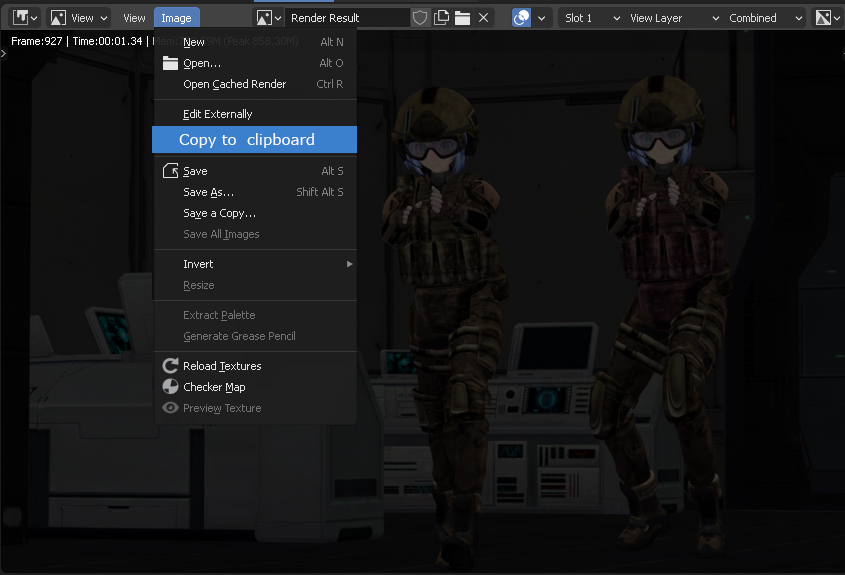
Hi. I recently tried to F12>Render Result; Image>EDIT EXTERNALLY without SAVING the image first. It seems Blender 2.92 cannot copy the render result image from the compositor or the image editor without saving it to some location first, which beats the purpose of "edit externally". Saving the image (targeting a directory), giving it a file name, switching apps to "open it back" it's too long of a workflow.
I got this screen error today. So it beats the purpose of sending a rendered image with alpha, since I still have to save first, before leaving Blender. imgur.com/a/qdPKB2c
I was wondering how possible is it to include a "COPY TO CLIPBOARD" function supporting alpha channel inside the IMAGE EDITOR as a function? imgur.com/a/w0ZtFny
10 Comments
This to me sounds more like a design issue, Blender should just handle the file saving itself without requiring you to do it, no more no less. I doubt sending the rendered picture in clipboard is better: you won't have any save and miss data like renderpasses.
I wasn't expecting this to explode, but thanks, everyone!
Did a quick search, found a draft script for Windows gist.github.com/a-nakanosora/9493b14836fe054294ade772e1df8c68
and an old RCS: blender.community/c/rightclickselect/wybbbc/
the draft uses PIL python module, I think there's also a way using standard lib or Numpy, so we don't have to install PIL
* @Iyad Ahmed * thank you for those URL links. Yeah, I found them as well (the only thing I found about this issue) on Monday. I can't believe it's from 2014! So this is why I am asking the community to join forces because this is just a temp write in the memory buffer so we can CTRL+V even in an email firefox window. (alpha supported as well). Let's see how far it reaches the devs. Thanks for your support.
On the Windows platform we can now copy to clipboard from the Image Editor. projects.blender.org/blender/blender/pulls/105833
Related/Duplicates:
On the Windows, you can use shift + win + s shortcut to copy part of the screen to clipboard
* @Spawn_x * While this is a handy workaround, it's not perfect. For example, if I wanted to quickly copy my 4k image into photoshop, that would be impossible using the windows snip tool.
* @Zach Hixson * Indeed you're right. But well, you can set the default blender starts file with compositor outputs to some "default" location event with the render passes if it is not about parts of the render but render like the whole picture. Only idea ...