
New Keyboard Mapping UI
I know a lot of blender user already know how to change shortcut in blender.. and Blender already make it easy to assign new shortcut by right clicking and select assign shortcut... but a lot of my student still afraid to change the shortcut because they are afraid that it could overwrite an existing shortcut. In my opinion, keymap settings on Blender not very user friendly
I think will be nice if there is update with new UI like image below, that way we can easily find what we are looking for.
btw, im really sorry if my english a bit hard to understand.
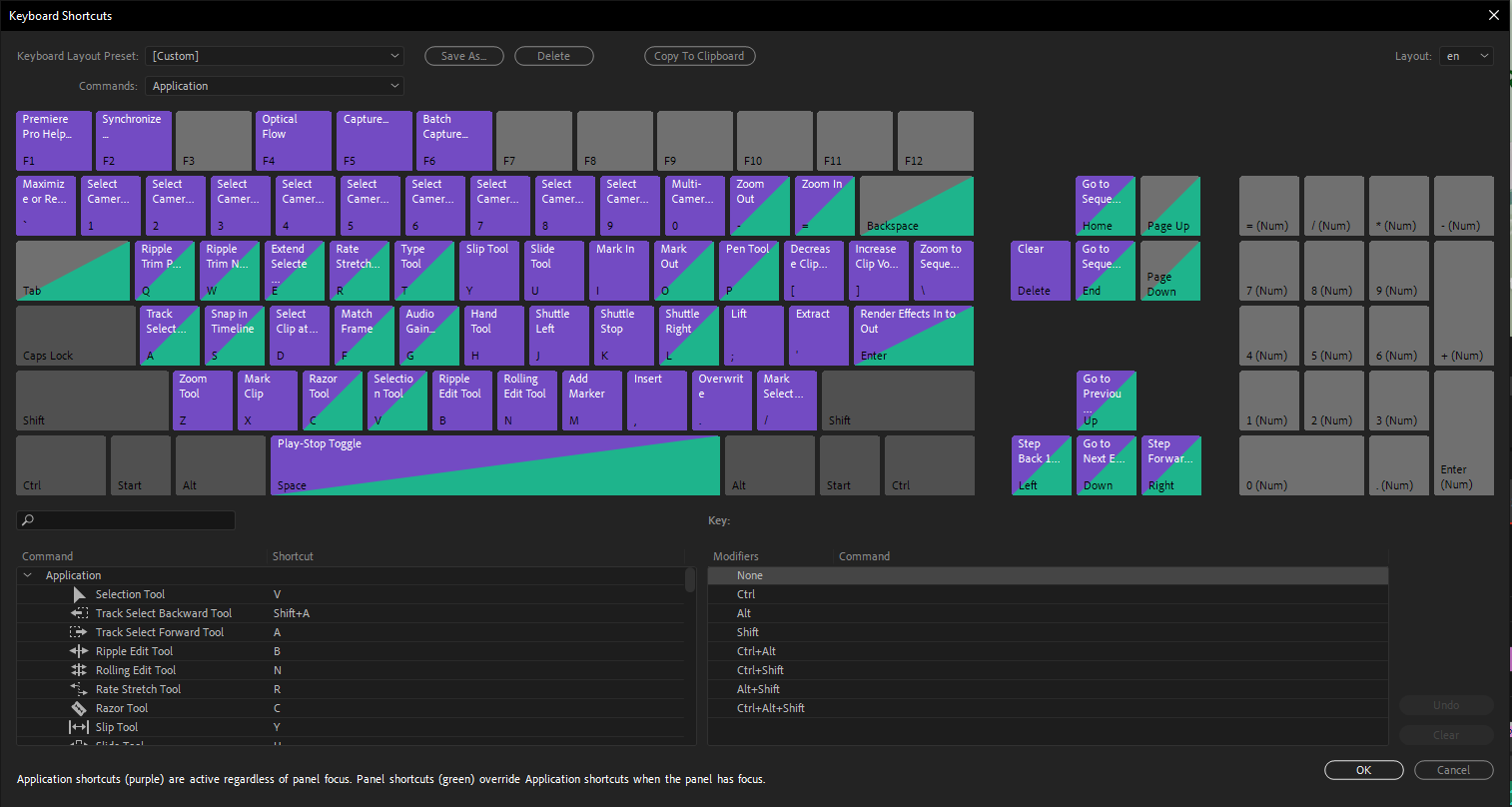
This idea was marked as a duplicate of Visual Hotkey Input Editor - General Vision Proposal.
5 Comments
Already under development
Another one and here too ... IMO such visualisator useless for Blender - wayyyyyyy tooooo much shortcuts.
Then " ... my student still afraid to change the shortcut because they are afraid ... " not sound as strong reason. What they afraid for? It's like first sex - you just got to do this...
If you screw up big time you can just reset to factory settings. I think there is an addon that can export keyboards to a script. So the students can change some keys, decide they like the changes, export the keys. Then if they change some more keys and they don't like it, they can just import their last export to go back to what they had before.
Great idea, but I think it would take a lot of resources at the same time. Like the outliner project it will take a lot of time
* @vojikcosta * yea im sure it is... i wish i can write some code to create add on or maybe helping developer, but I don't have knowledge with any programming language.