
Add color and thickness properties to the Empties
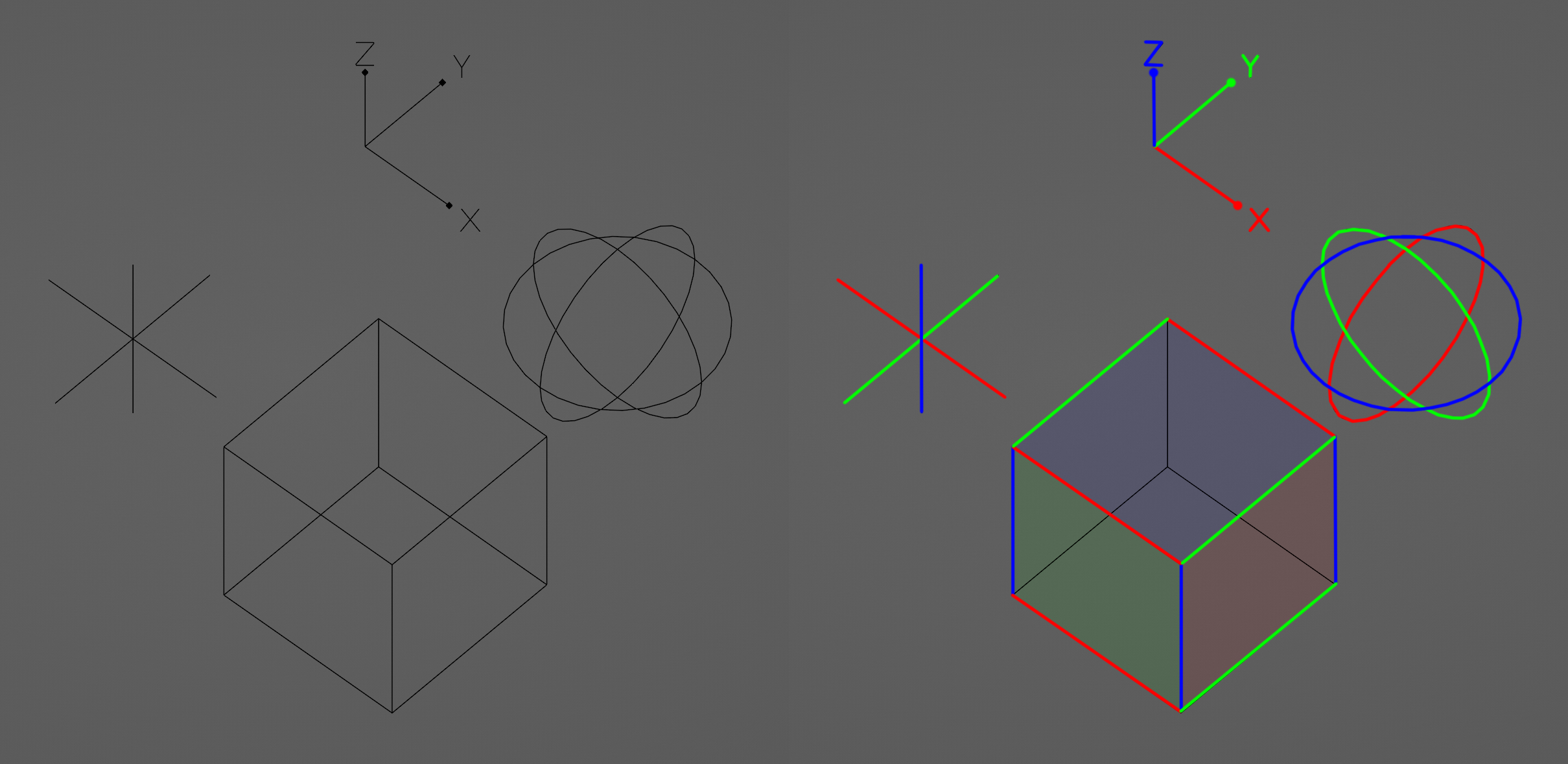
Although it is not possible, I would like to instantiate Empies with Geometry Nodes to see the orientation of the points, and to differentiate the axes it is important to see them colored.
Apart from that, I think it would be good if the basic empties had some more representation options in addition from the size, so they could be used as modifier or rigging gizmos.
6 Comments
Also more types of empties: blender.community/c/rightclickselect/Qvhbbc/
I have suggested Wireframe Colors Everywhere and Object Axis Visibility/Usability Improvement (just to pin it here) .
It would be nice, but only as an option (checkbox on/off in Overlays) - default should stay like it is now. Something similar: add thickness to planes (faces) even when not selected in ortho view.
pasteall.org/pic/e9e64b8ff33f4a3f8cdcb9d54ab76962
black line (edge) is visible even when not selected. Planes are invisible when not selected.
"add thickness to planes (faces) even when not selected in ortho view." Even the Viewport Outline does not work in this case, and sometimes it is a problem. It would be nice to find a solution, since even in perspective, the planes fade too much.
Optional, off course ;)
This would make life very much easier both in rigging, layout, and more.