
Keep the set orientation of the cursor while Shift+RMB
Right now in cursor mode, we can set the orientation of the cursor to follow the geometry (the normal) of a face so it aligns with it, like so :

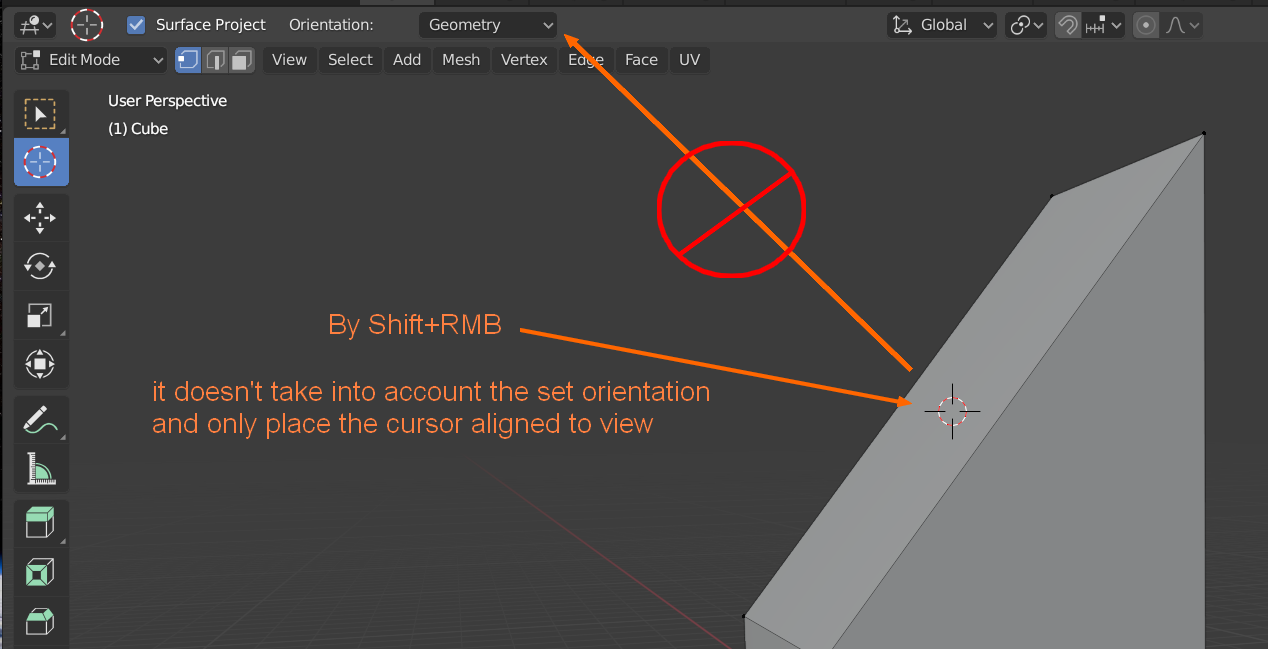
But if we place the cursor by Shift+RMB, the set orientation isn't preserved and only place the cursor aligned to view, not aligned to geometry anymore

It's pretty annoying/inconsistent, it also seems really easy to fix, could someone take care of it please ?
6 Comments
This is already possible with a keymap change.
* @IIIFGIII * do u know any tools for sliding multiply (by surface or edges) vertices while scaling or rotating 'em? its only one thing at moment i miss from max...
* @impacman * Nope. At this moment not exist as far as I know in any form. Here slide rotate suggestion , another slide rotate/scale suggestion , my one funy suggestion :) . But this web resource is not some " roadmap " ... mostly all those suggestion to fix thoughts somewhere & for fun.
From my experience - never felt lack of slide rotate/scale after switching from Max (but of course it depend on workflow specific ).
* @impacman * This might help fill the void. Rotate Face addon - Gumroad
Lol, would also be a cool for power user who never use the "beginners" tools, and only shortcuts (and use left mouse to place cursor)