
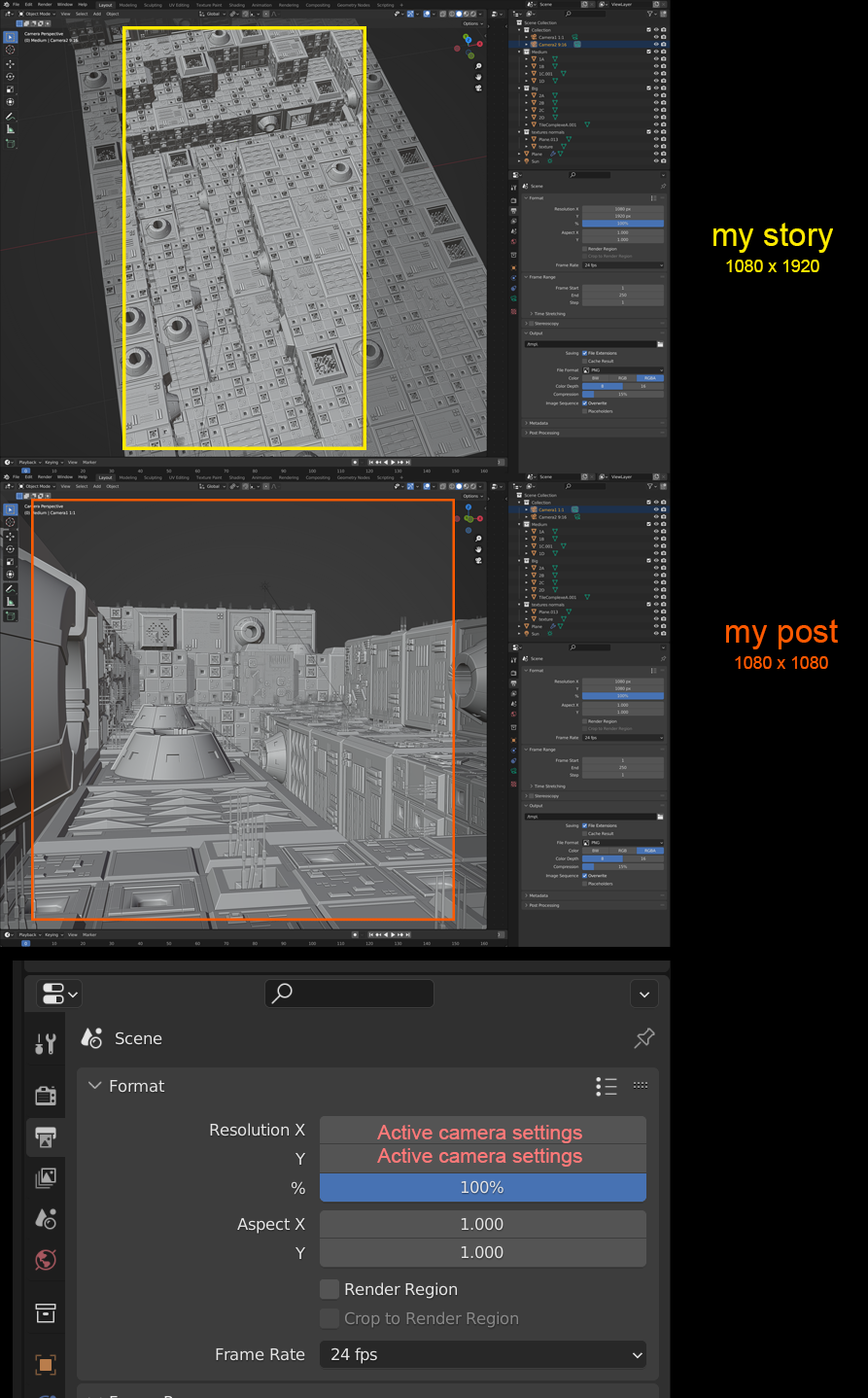
Camera drives Output resolution
The ability for te Output resolution to be driven by each cameras.
(Values could also be in purple like for drivers.)
This idea was marked as a duplicate of Overwrite global camera resolution.
The ability for te Output resolution to be driven by each cameras.
(Values could also be in purple like for drivers.)
8 Comments
I think resolution, and pretty much everything in this tab, should all be camera settings, not global.
Duplicates:
blender.community/c/rightclickselect/jCbbbc/
blender.community/c/rightclickselect/Yjbbbc/
blender.community/c/rightclickselect/WRfbbc/
blender.community/c/rightclickselect/Vvo9/
blender.community/c/rightclickselect/1hfbbc/
blender.community/c/rightclickselect/2sdbbc/
Highly requested, maybe one day :c
Ha ha, I upvoted them all.
Will it increase the total amount of votes ? Does post duplicated many times gets more attention from blender fundation?
Dunno, I feel like quantity shows big interest from community. I usually upvote all duplicates since it's not competition which one gets more votes, it's about getting feature into blender. Idk how votes calculated when duplicates marked officially (summed or only show from highest voted?).
I agree that since the scene needs to have a camera to render, the size parameter should be set separately in the camera parameters.
That sounds like it should be more of an override setting instead of a total paradigm change. I can see the use cases for it but there are still many projects that demand an overall resolution rather than an individual change per camera. Especially since we STILL don't have multi object property editing which means we would have to edit every camera individually for resolution changes. And with Bill Reynish gone from the dev team the tasks in that have halted as well, unfortunately.
This can be used to configure a custom resolution for each camera (free and simple to use):
blenderartists.org/t/render-button-camera-manager-for-blender-3-quick-fix-07-04-2022-v0-3-9/1159414/2
The rendered images end up in the /tmp folder on macOS.
What initially surprised me when using this kind of workaround, was that the cameras in the scene obviously don't reflect their custom ratio. So when setting the resolution, all cameras will appear to update. Clicking each one however, and you'll see the resolution has been retained.