
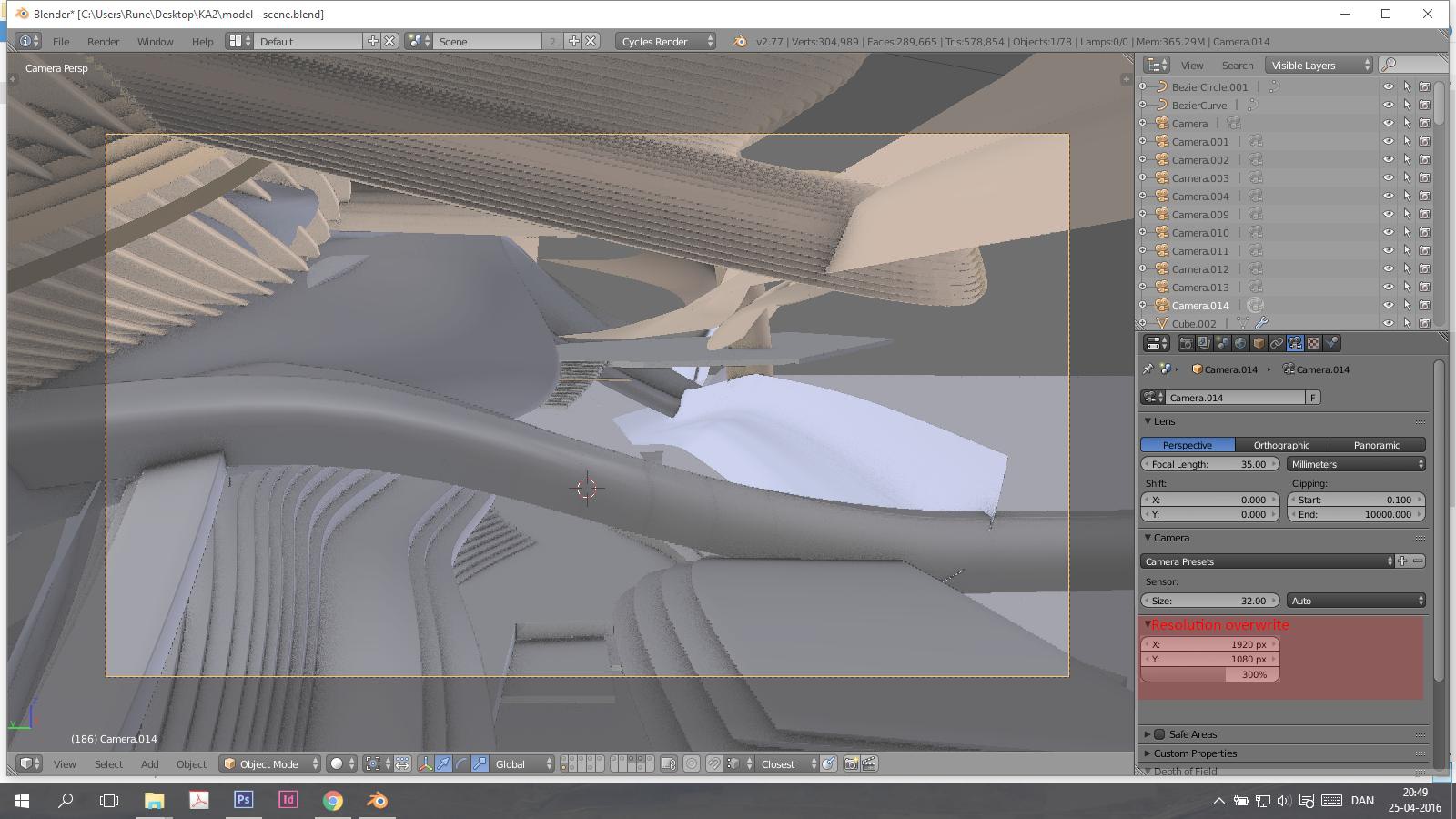
Overwrite global camera resolution
Overwrite the global camera pixel resolution, so we can have specific render sizes for various camera setups in the same scene. ( I have many cameras to setup different views for print.)
Duplicates
- Local resolution setting (per camera)
- Link/ Override Out Put Dimensions to Camera
- Each camera have it's own resolution
- Camera Resolution Override
- Allowing Render Resolution per Camera
- Local Resolution by Camera
- Camera drives Output resolution
- Camera controls resolution
- Resolution Per Camera
- Override for render resolution for camera
- Individual resolution settings for cameras
- Per-camera resolution modifier
- Camera Resolution
7 Comments
Out of curiosity, what about setting up linked scenes with differing camera settings (and/or cameras) is insufficient as a solution?
Then you have to re-link all the new objects to every scene every time you make changes. If you have 7 different views, it gets confusing. Did I remember to re-link all the objects before I hit render?
Also, you have to remember what camera is located in what scene instead of having all the cameras with the right resolutions in the first scene. Also when I change render and world settings in the first scene, does it change in the other scenes? I think I have to then change them for every scene again.
I would ask the question from the opposite angle: why do cameras have to share the same render sizes and samples ? I would find more natural to find all the DIMENSIONS tab settings (like render size etc… but NOT frame range) tied to the camera data, as in real life in fact.
I sometimes want to have a close-up with a smaller resolution, or another shot in portrait mode, etc… And more often than not, I feel like I tweak dimensions precisely when i change my active camera.
I also feel like the output node of the compositor could be camera dependent.
With good naming conventions for scenes (you'd have to name your cameras well to keep them straight, too) and a linked World datablock, most of these issues are easily covered. The only sticking point is newly created objects not being linked between scenes by default, but that'd be easy enough to automate with a script.
That said, I'm fairly certain that you could get the exact behavior your looking for in an add-on. You'd need to add some custom properties to camera objects (X/Y render size) and an "active camera" operator that sets scene render settings according to the custom properties of the selected camera. This is probably something a beginning coder could have sorted out over a weekend.
You probably don't even need the operator, you should be able to set the output resolution automatically with a render_pre handler (
bpy.app.handlers.render_pre).That's true, but if you want to have an accurate preview of the render frustrum in the 3D View, that handler won't work.